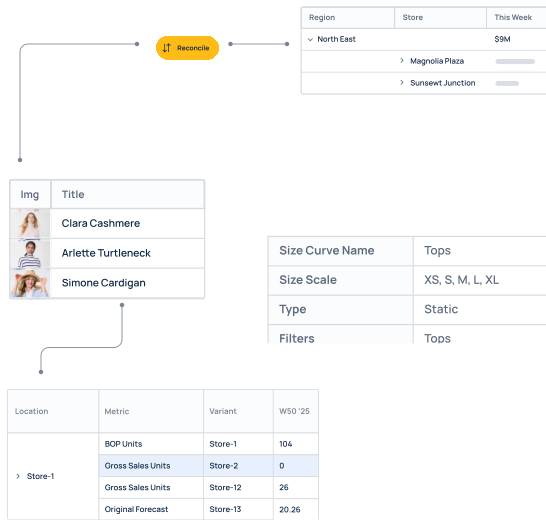





and 100s more


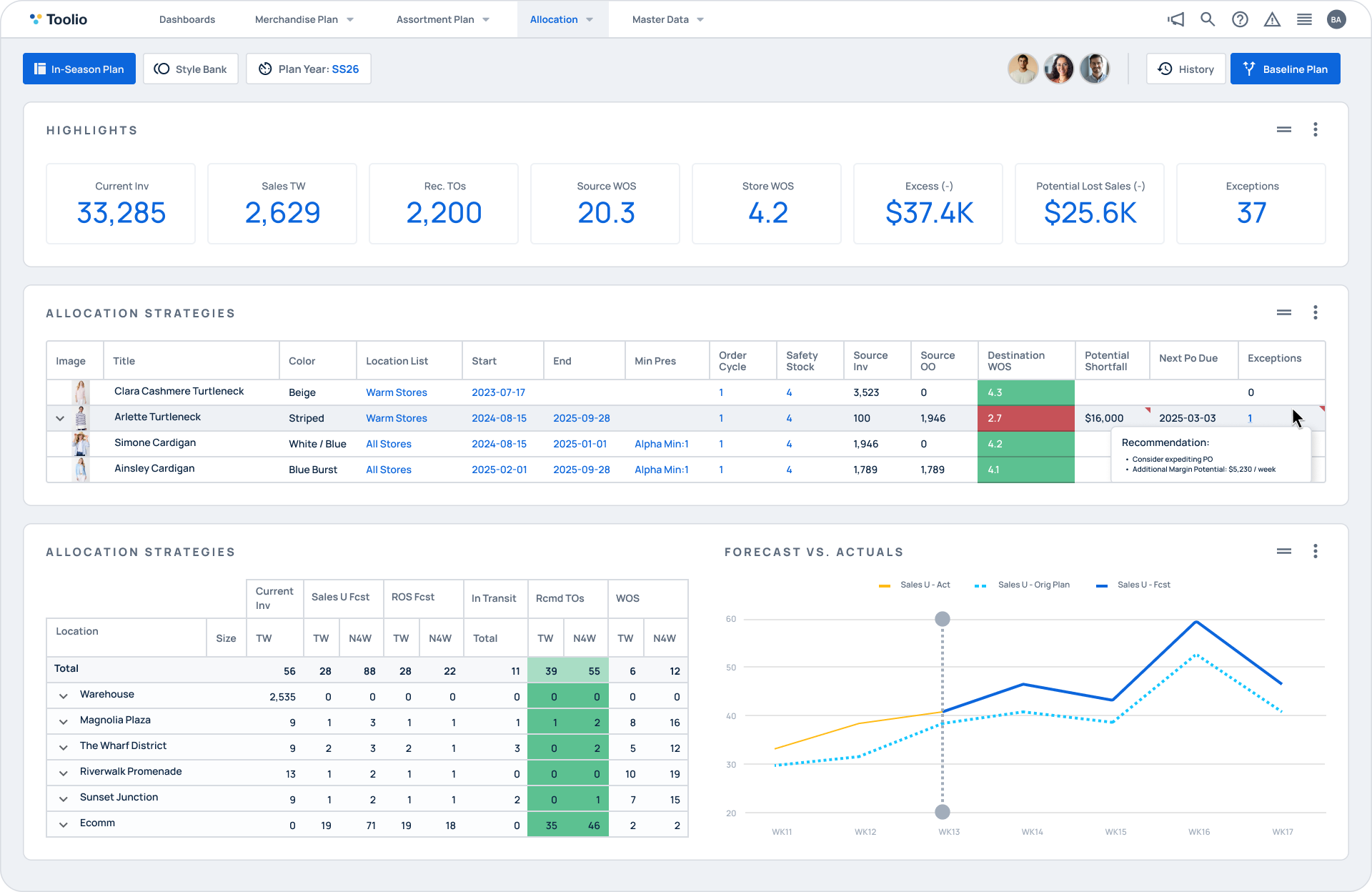
React to demand in real time. Best-sellers stay on the shelf and slow movers don't pile up. Protect sales without tying up cash in excess stock.
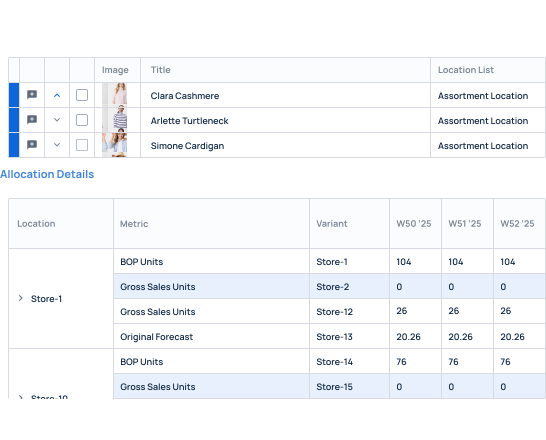
Set replenishment logic once, fast/key/core items, by WOS or Min/Max. Generate orders automatically, with manual overrides whenever you need them.
Exception detection continuously scans your assortment for at-risk items and surfaces them early, so your team can act before stockouts or overstocks hit.
Control replenishment logic down to the item and store level by product role and coverage method, so every item replenishes the way it should.
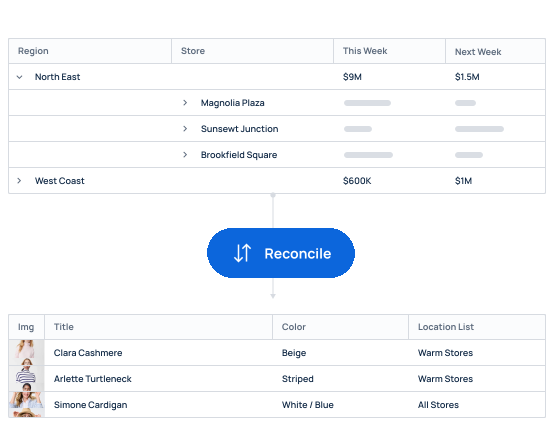
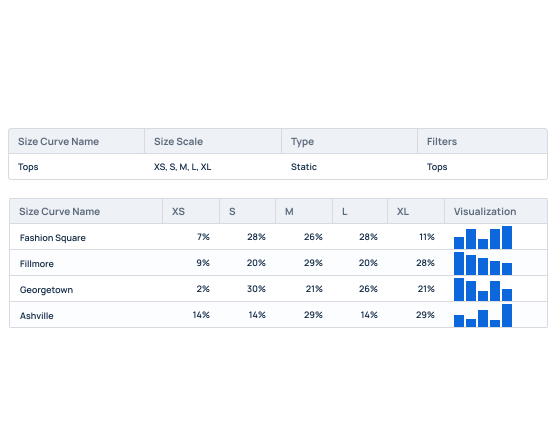
Auto-generate replenishment orders across the assortment while keeping full planner control for the exceptions that need a human call.
Push replenishment settings and updates across large, multi-store assortments in a few clicks. No line-by-line editing.

Knix, a trailblazer in the intimate apparel industry, renowned for its commitment to inclusivity and innovation, has transformed its inventory management with Toolio.

Brittany Watts
Allocation Analyst
"Overall, I have been very satisfied with Toolio. It has allowed me to make data-driven decisions by creating sell-through reports for specific collections, sell-through history, and store-specific sell-throughs."
50%
Time Savings
50%
Stockout Reduction
Improved
Inventory Turnover

AKA Brands, a prominent player in the fashion industry known for its portfolio of successful digital native brands, has revolutionized its inventory management strategy and achieved remarkable results since implementing Toolio's integrated inventory management solution.

Stacey Shriefer
Vice President Inventory Planning
“Toolio was instrumental in showing our merchants that they could have 50-75% less SKU count and do the same amount of sales. We expect $5M in cost savings and efficiency gains.”
50-75%
SKU count reduction
$5M
expected cost savings and efficiency gains
5-10
weeks of stock reduction

Weezie Towels, celebrated for its artisanal approach to crafting luxurious, personalized towels, has elevated its inventory management to new heights with Toolio.

Holly Leach
Vice President of Merchandising & Business Development
"After seeing the demo for Toolio, I immediately recognized the bandwidth this system generates. It is extremely intuitive and solves for many of the manual analyses our team was running on a regular basis."
40%
efficiency gains
4%
inventory cost reduction
8x
Return on Investment
Explore More Use Cases

Teams
Allocation Teams
Plan with greater precision, adapt to market shifts instantly, and maximize profitability through advanced retail planning capabilities.
Use Cases
Initial Allocation & Product Launch
Plan and execute product launches with smart allocation strategies that balance demand, timing, and store needs.
Use Cases
Constraint-Based & Exception Allocation
Ensure every allocation meets your business standards, with automatic checks for stockouts, overages, and exceptions.
Most ERP replenishment is rules-based and static: it reorders on fixed points and doesn't adapt to real-time sell-through, seasonality, or promotions. Toolio layers demand-aware logic on top — adjusting coverage as sales shift — and gives planners exception views and overrides an ERP screen doesn't. It complements your system of record rather than replacing it.
It does the opposite. Replenishment is driven by the coverage strategy you set (WOS or Min/Max, by product role), so orders are capped to real demand and target stock levels. Toolio flags overstock risk the same way it flags stockouts — the goal is leaner inventory, not more of it.
Allocation decides how to split a fixed buy across stores at the start of a life cycle. Replenishment decides how to keep those stores in stock over time as they sell. Teams use allocation to place initial inventory and replenishment to sustain it — different jobs, and this page covers the ongoing side.
Yes. Set granular logic by item and store, differentiate Fast/Key/Core items, choose WOS or Min/Max per group, and bulk-apply settings across large assortments. Planners keep manual overrides for edge cases, so automation handles the volume while your team controls the exceptions.
Toolio runs replenishment across large, multi-store, multi-channel assortments with bulk import and update tools built for scale — the same platform enterprise retailers like Knix use, where automated replenishment cut stockouts by 50% and planner time by 50%.
Absolutely. Toolio supports large data volumes, complex hierarchies, and multi-level planning, making it ideal for enterprise retail planning and analysis.
See Toolio In Action
The best way to understand what Toolio could do for your team is to start a conversation.